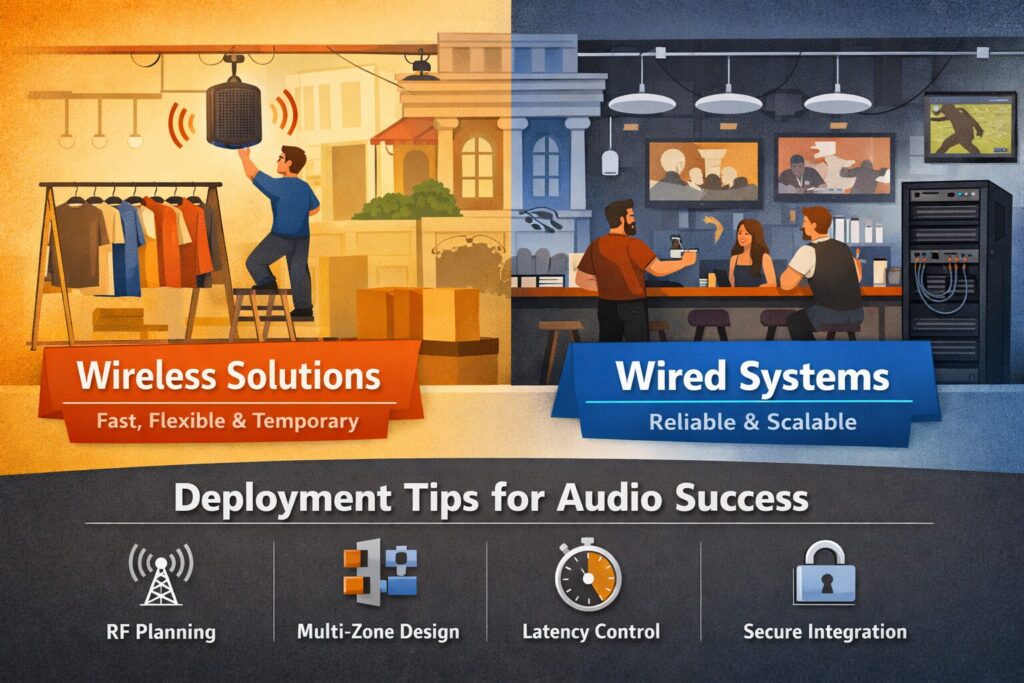

Introduction: Wireless Audio at Work – What Changed and What Hasn’t
“Auracast broadcast audio will enable an audio source device to broadcast one or more audio streams to an unlimited number of nearby Bluetooth audio receivers.” – Source
Why businesses are asking about commercial wireless speakers now
- Faster Wi‑Fi, the emergence of Bluetooth broadcast (Auracast), and purpose‑built retail systems have matured enough to support venue‑scale use cases in many environments.
- But “wireless” in commercial AV still isn’t cable‑free: every speaker needs power, and success depends on careful RF planning, device management, and policy alignment with IT.
What this guide covers
- When a wireless sound system for business is smarter than running cable – think pop‑ups, fast remodels, leased or historic spaces, and flexible merchandising.
- Where wired or hybrid integrated audio systems still win for reliability, coverage density, and long‑term scalability.
- Practical deployment tips you can act on: RF spectrum planning, multi‑zone design, latency management, and IT coordination for secure audio system integration.
TL;DR
- Wireless shines for pop‑ups, fast remodels, leased or historic spaces, and frequently reconfigured layouts.
- For large, permanent, high‑density installs, a wired or hybrid integrated sound system remains the most reliable and serviceable approach.
Who this is for
- Offices, retail, restaurants/bars, churches, multi‑tenant properties, and event/marketing teams evaluating commercial wireless speakers.
- Facility managers, IT leaders, and integrators exploring integrated audio systems and practical audio system integration paths.
Wireless 101 for Commercial AV: Power, Protocols, and Practical Limits
‘Wireless’ still needs wires
- Every commercial wireless speaker still needs power. Plan for AC outlets, track‑rail power, or concealed cabling, and verify electrical load and circuit availability.
- Budget time for mounting, conduit, and code compliance; “wireless” reduces signal cabling, not electrical and safety requirements.
- Factor maintenance: accessible power points make resets, firmware updates, and swaps faster – critical in business environments.
Common transports you’ll encounter
- Wi‑Fi multiroom ecosystems for small to medium venues:
- Sonos for Business, BluOS, HEOS offer app‑driven grouping, music services, and easy zoning. Best for background music and light paging where a wireless sound system for business is preferred over pulling new cable.
- Proprietary sub‑GHz systems (e.g., 900 MHz) for retail ceilings/track rails:
- Purpose‑built for dense stores and long aisles, with better penetration and predictable latency. Great when power is available at tracks and you need quick, flexible placement of commercial wireless speakers.
- DECT‑based audio and Bluetooth broadcast (Auracast):
- DECT excels at voice (paging/intercom) with robust, interference‑resistant links. Auracast enables broadcast audio to personal devices for tours and assistive listening across large areas.
- Audio over IP (Dante/AES67):
- This is networked audio, not inherently wireless. It can traverse Wi‑Fi bridges, but clocking, multicast, and QoS make it fragile over congested WLANs. Use sparingly over Wi‑Fi – prefer wired or hybrid integrated audio systems for Dante backbones.
Range, channels, and congestion
- 2.4 GHz vs 5 GHz:
- 2.4 GHz travels farther and penetrates better but is crowded (IoT, microwaves, Bluetooth). 5 GHz offers more channels and less noise, but shorter range and DFS constraints near radar.
- DFS channels (5 GHz):
- Dynamic Frequency Selection channels can be reclaimed by radar at any time, forcing channel changes that can disrupt audio. Validate local DFS behavior and use non‑DFS where stability is paramount.
- Malls, offices, and multi‑tenant properties are noisy RF environments:
- Expect dozens of APs, Bluetooth devices, scanners, and security systems. Perform spectrum analysis and lock down channels and channel widths accordingly.
“In the 2.4 GHz band, only three 20 MHz channels (1, 6, and 11) are non‑overlapping in most regions – making congestion management critical in shared spaces.” – Source
Synchronization and latency
- Background music:
- Buffering is acceptable; end‑to‑end latency of 100–250 ms is typically fine if all speakers are synchronized to each other.
- Live mics/paging:
- Voice intelligibility demands far tighter latency and sync. Aim for sub‑50 ms system latency, with inter‑speaker skew under ~10 ms to avoid echoes and comb filtering.
- Video/lip‑sync:
- For AV with screens, target <40 ms audio offset relative to video. Favor wired or hybrid paths for program audio feeding displays to keep timing tight.
Security and policy
- Network segmentation:
- Place audio endpoints on a dedicated VLAN (guest vs corporate separation), and restrict controller access via ACLs or firewall rules.
- Multicast and QoS:
- Coordinate with IT to enable required multicast, IGMP snooping/querier, and DSCP markings so streams get priority without flooding the LAN/WLAN.
- Change control:
- Lock down automatic firmware updates during business hours. Document SSIDs, keys, and channel plans; maintain configuration backups for rapid recovery.
- Credentials and roles:
- Use service accounts and role‑based permissions in management apps so staff can control zones/volume without access to network settings.
A realistic plan for power, RF, and network policy is what turns “wireless” from a risky experiment into a reliable, integrated sound system. When in doubt, a hybrid approach – wired backbone with targeted wireless endpoints – often delivers the best reliability-to-flexibility ratio for audio system integration in commercial spaces.
When Commercial Wireless Speakers Make Sense: Offices, Retail, Pop‑Ups
High‑fit use cases
- Offices and lounges: quick background music and light paging without opening walls.
- Retail and showrooms: fast remerchandising, seasonal layouts, and multi‑zone ambience.
- Restaurants, coffee shops, and sports bars: patios or annexes where running cable is costly.
- Pop‑ups, brand activations, and events: temporary installs with tight timelines.
- Historic or leased buildings: avoid invasive cabling to protect finishes and reduce make‑good costs.
Triggers that favor wireless sound systems for business
- Compressed timelines, limited access to above‑ceiling pathways, or uncertain future floor plans.
- Need for frequent zone changes or reconfigurable seating.
- Small to mid‑size footprints where RF density stays manageable.
Performance expectations
- Background music (BGM) at comfortable levels with even coverage.
- Simple announcements; limited live‑mic use unless latency/sync are validated.
Decision guardrails
- If you need high SPL, large coverage, or mission‑critical paging, consider wired or hybrid integrated audio systems.
Wireless vs Wired vs Hybrid – Best‑Fit Matrix
| Approach | Venue size | Pros | Cons | Best for | Typical budget band |
|---|---|---|---|---|---|
| Commercial wireless speakers (Wi‑Fi/sub‑GHz ecosystems) | Small to mid‑size | Fast deployment, minimal construction, flexible zoning, easy reconfig | Needs power at each speaker, RF congestion risk, latency limits for live mics | Offices, retail suites, cafés/patios, pop‑ups | $–$$ (hardware heavy, low install cost) |
| 70V/100V distributed audio | Small to very large | Reliable coverage, long cable runs, simple scaling, per‑zone volume | Requires cabling and labor, less flexible after build | Large retail, campuses, hospitality, houses of worship | $$–$$$$ (install‑heavy, predictable OPEX) |
| 8‑ohm hi‑fi zones | Small rooms/zones | High fidelity, simple in limited zones, broad gear choice | Limited scalability, complex wiring beyond a few speakers | Boutiques, executive offices, lounges | $–$$$ (depends on speaker/amp quality) |
| Hybrid designs (wired backbone + targeted wireless) | Mid‑size to large | Best reliability‑to‑flexibility ratio, keeps paging/video tight while enabling mobile zones | More design effort, mixed management | Multi‑tenant offices, restaurants with patios, retail chains | $$–$$$$ (balanced hardware/install) |
Where Wireless Struggles: The Limits You Must Plan Around
RF congestion and interference
- Malls, multi‑tenant offices, arenas, and convention centers are crowded RF spectra. Expect overlapping SSIDs, Bluetooth beacons, scanners, and IoT devices.
- Coordinate channels, channel widths, and transmit power with building IT and neighboring tenants where possible. Site surveys and spectrum analysis are non‑negotiable.
Latency, sync, and paging
- Group synchronization can drift across zones when different transports or APs are involved. This is most noticeable in open spaces and corridors.
- Paging needs fast cut‑through; some wireless ecosystems buffer heavily for stability, introducing delay. Promise “background‑only” unless you have validated sub‑50 ms end‑to‑end latency and tight inter‑speaker sync.
Power and placement realities
- Wireless still needs power. Outlet density, track‑rail power availability, and electrician costs drive feasibility.
- Consider cable concealment, conduit, and aesthetics. The cleanest installs leverage existing power tracks or planned outlet drops.
Scale and density
- Many small wireless speakers may appear cheaper upfront but can raise TCO through licensing, power runs, and maintenance touches.
- For large, loud, or highly reverberant spaces, fewer higher‑output wired speakers driven by centralized amplification often deliver better coverage and intelligibility.
Compliance and safety
- Life‑safety paging, fire alarm overrides, and emergency messaging typically require listed wired pathways and supervised circuits per code.
- Coordinate with the fire/life‑safety vendor early to define interfaces, priorities, and failsafe behavior.
IT and security
- Segment audio devices on dedicated VLANs and constrain discovery traffic (mDNS/multicast) with gateways. Enable QoS to protect streams.
- Lock down firmware policies, credentials, and change control. Schedule updates, document RF/channel plans, and maintain configuration backups.
Pick an Architecture: Matching Goals to the Right Wireless Tech
Wi‑Fi multiroom ecosystems (closed systems)
Sonos for Business, BluOS, and HEOS offer fast deployment, polished apps, and simple grouping – ideal for small to mid‑size background music. These closed ecosystems are the quickest way to spin up a wireless sound system for business with minimal cabling, especially when you need easy zone control and streaming service integration.
Proprietary sub‑GHz retail systems
Purpose‑built 900 MHz (or similar) platforms excel in retail ceilings and track‑rail power environments. They deliver longer range, better penetration through shelving and partitions, predictable latency, and multi‑zone control – perfect for remerchandising and seasonal layouts without re‑pulling cable.
Bluetooth broadcast (Auracast)
Best for tours, assistive listening, and silent‑disco‑style activations where guests use personal devices or dedicated receivers. It’s a powerful complement, but not a 1:1 replacement for distributed loudspeakers in a commercial wireless speakers deployment.
Audio over IP with wireless links
Dante/AES67 can traverse enterprise Wi‑Fi with careful QoS, multicast control, and low‑latency design. Complexity is higher, and reliability depends on WLAN engineering. Often used in hybrid integrated audio systems with wired backbones and selective wireless links.
Portable battery PAs and micro‑amps
Great for day‑rate pop‑ups, outdoor queues, and brand activations on tight timelines. Combine with proper music licensing and straightforward control workflows for staff.
Wireless Protocol Comparison Matrix
| Transport | Typical indoor range | Latency characteristics | Sync robustness | Channel capacity | Interference risk | Ideal use cases | Notes |
|---|---|---|---|---|---|---|---|
| Wi‑Fi ecosystem (Sonos/BluOS/HEOS) | ~50–150 ft per AP (environment‑dependent) | Buffered; ~100–250 ms typical for stable BGM | Strong within a single ecosystem on the same WLAN | Many endpoints; constrained by WLAN airtime/multicast | Medium–High in dense venues (2.4/5 GHz contention) | Small–mid venues needing quick BGM, app control, simple paging | Use 5 GHz where possible; manage multicast, VLANs, and QoS with IT |
| Sub‑GHz proprietary (e.g., 900 MHz retail) | ~150–300 ft; good penetration through shelving/partitions | Low, predictable; ~15–40 ms typical | High – purpose‑built for multi‑speaker sync | Multiple zones/channels; vendor‑specific limits | Low–Medium; fewer competing devices than 2.4/5 GHz | Retail/showrooms with track‑rail power, rapid reconfiguration | Regional spectrum differences for 900 MHz; verify local compliance |
| DECT (voice‑oriented) | ~100–200 ft per base (extendable via cells) | Low; optimized for voice and paging | High for talk paths; not for wideband music to many speakers | Limited concurrent talk paths per base | Low; dedicated band, resilient to Wi‑Fi/Bluetooth | Office paging/intercom, help desks, back‑of‑house comms | Excellent intelligibility; not a full BGM distribution solution |
| Bluetooth/Auracast (LE Audio) | ~30–100 ft typical (open areas extend further) | Variable; depends on devices and density | Moderate; improving with LE Audio broadcast | Many receivers per broadcast; limited concurrent streams per TX | Medium; shares 2.4 GHz with Wi‑Fi/IoT | Tours, assistive listening, silent activations | Not a replacement for venue loudspeakers; plan opt‑in UX and signage |
| AoIP over Wi‑Fi (Dante/AES67) | WLAN coverage area (AP‑dependent) | Can be low on wired; over Wi‑Fi adds jitter/latency | Sensitive to WLAN design; sync can suffer on busy RF | High on wired; over Wi‑Fi practically limited | High in crowded RF and misconfigured multicast | Hybrid systems: wired backbone with selective wireless links | Requires tight QoS, IGMP, airtime control; favor wired backbones |
Selecting the right architecture is about aligning coverage, latency, and manageability with your business goals. For many cable‑light projects, commercial wireless speakers shine; for larger or mission‑critical deployments, a hybrid integrated sound system delivers the reliability‑to‑flexibility balance that teams need for robust audio system integration.
Designing an Integrated Sound System (Wireless or Hybrid): Step‑By‑Step
1) Site survey and RF scan
- Measure ambient noise (dBA) across time periods; log peaks and averages.
- Record neighboring SSIDs, scan 2.4/5 GHz occupancy, and note DFS limitations and radar presence.
- Document structural RF challenges (steel, glass, mirrors, refrigerators, elevator cores).
2) Power and mounting map
- Audit outlets, circuits, breaker load, and identify track‑rail options; plan dedicated circuits where needed.
- Specify mounting hardware, conduit, and safe cable concealment paths that meet code and aesthetic goals.
- Pre‑plan service access for firmware, resets, and device swaps.
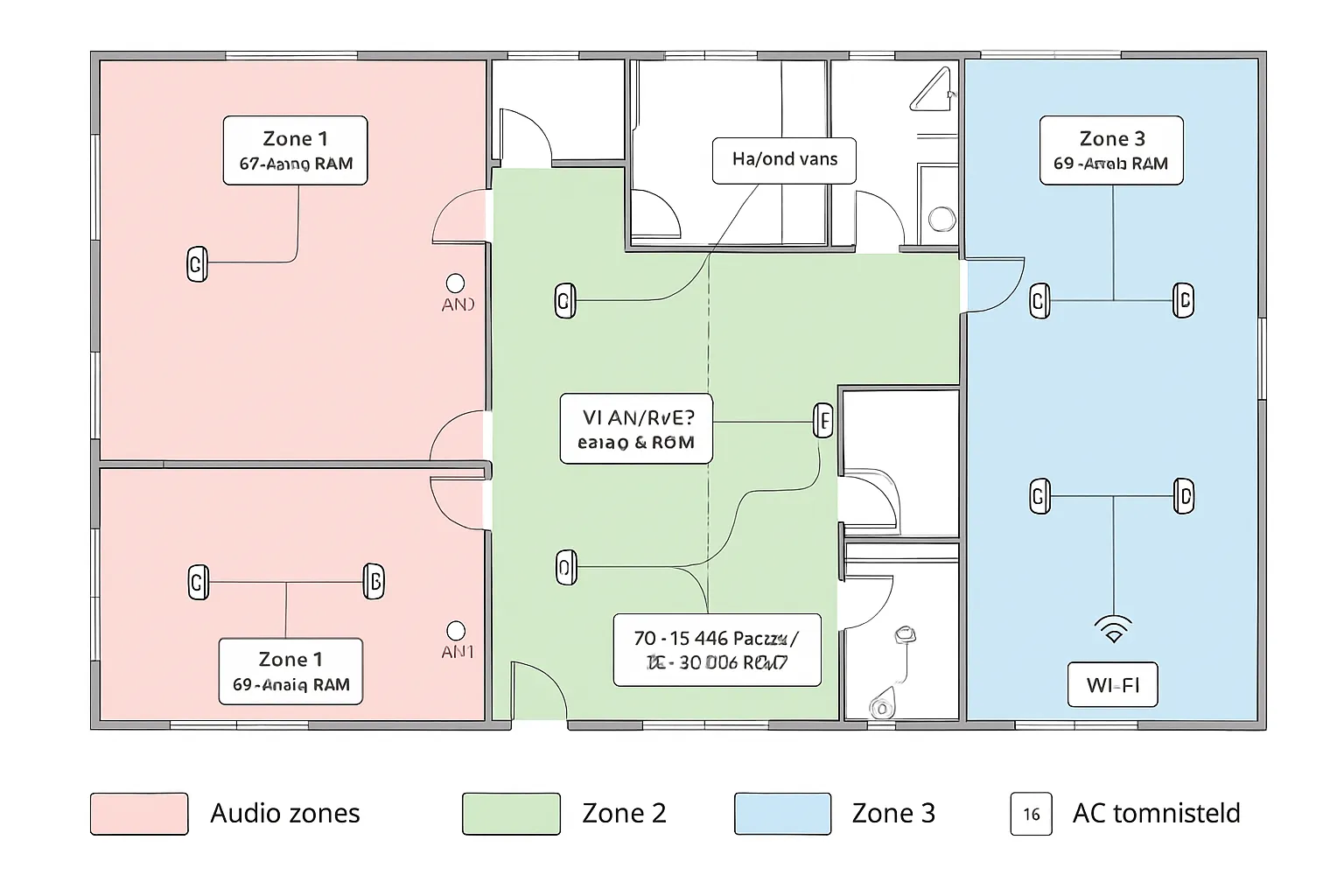
3) Zones and coverage targets
- Define customer/staff paths and dwell areas; draw acoustic zones aligned to business use.
- Set SPL targets for BGM (e.g., 65–70 dBA over ambient) and intelligibility goals for announcements.
- Calculate speaker spacing and counts to achieve even coverage without hot spots.
4) Network design with IT
- Segment on dedicated VLANs for AV; define controller access rules and role‑based permissions.
- Configure QoS/DSCP for audio streams; enable IGMP/multicast or mDNS gateways as required by the platform.
- Establish firmware cadence, maintenance windows, and a change‑control process.
5) Content and compliance
- Select licensed background music sources and define paging priorities and ducking levels.
- If life‑safety is required, coordinate listed interfaces and failover behavior with the fire alarm vendor.
- Create staff SOPs for zone selection, volume limits, and after‑hours use.
6) Pilot, measure, and iterate
- Prototype a representative zone; validate roaming, sync, and end‑to‑end latency.
- Verify SPL coverage versus targets; adjust EQ, limiter thresholds, and channel plans.
- Document final settings, as‑builts, and rollback plans for the full rollout.
“IEEE 802.3at (PoE+) delivers up to 30 W per port – useful for powering wireless access points and controllers that carry your audio traffic.” – Source
Deployment Tips: RF Hygiene, Network Settings, and Mounting Basics
RF hygiene
- Use non‑overlapping 2.4 GHz channels (1/6/11) at 20 MHz; keep transmit power moderate and consistent to curb co‑channel interference.
- Prefer 5 GHz for commercial wireless speakers when client support is known; standardize 20 or 40 MHz widths to preserve airtime.
- Avoid DFS channels for critical BGM if your AP/client mix is unknown; radar events can force channels to change mid‑service.
- Lock channel plans per floor; disable “auto everything” in high‑density venues after a site survey.
- Enable band steering and minimum RSSI thresholds to reduce sticky clients; audit roaming behavior before go‑live.
Network knobs that matter
- Enable WMM/QoS for audio; mark streams with appropriate DSCP (e.g., AF31/EF per platform guidance) and honor those markings end‑to‑end.
- Constrain multicast: enable IGMP snooping and a querier; set low but safe data rates for multicast to avoid excessive airtime.
- Use VLANs to segment AV from corporate and guest networks; apply ACLs so controllers manage devices without exposing management planes.
- Consider mDNS gateways/reflectors for discovery across VLANs when required by the wireless sound system for business ecosystem.
- Cap legacy data rates (1–11 Mbps) on 2.4 GHz to reduce airtime tax; verify no critical IoT depends on them.
Grouping and sync
- Keep groups within a single floor/SSID and on the same AP group or controller domain when possible – this tightens sync.
- Test coordinated start/stop, paging ducking, and inter‑zone delay with an impulse test or hand clap at multiple mic points.
- Limit “mega‑groups” to background music; for live mics or screens, use a wired or hybrid integrated sound system to maintain tight lip‑sync.
Mounting and cabling
- Use rated brackets and anchors for the substrate; follow manufacturer torque specs.
- Provide strain relief on power cords, drip loops outdoors, and concealed raceways for a clean, code‑compliant look.
- Use tamper‑resistant hardware in public areas; label devices with zone/ID to speed service.
- Verify outlet polarity/ground; where track‑rail power is used, confirm load and thermal clearances.
Resilience
- Put switches, controllers, and music sources on UPS; size for at least 15–30 minutes to ride through brownouts.
- Maintain PoE budget headroom (≥20%) for APs and bridges carrying audio traffic.
- Configure local emergency content fallback (e.g., cached playlist or analog input) if the controller or WAN drops.
- Document restart sequences and safe maintenance windows; avoid firmware updates during business hours.
Handover packet
- Archive RF/channel plans, AP placements, audio zones, IPs, VLANs, and DSCP maps.
- Store controller backups, ecosystem configuration exports, firmware versions, and licensing receipts.
- Provide admin/service credentials via a secure password manager; include role‑based accounts for daily operations.
- Include as‑built drawings, SPL target maps, and a quick‑start runbook for common tasks (new device add, firmware rollbacks, paging tests).
- Keep a spares list (power supplies, mounts, two extra speakers) for rapid swap‑outs.
These practices turn a cable‑light deployment into a dependable integrated audio system. If your environment pushes the limits – large footprints, live mics, or mission‑critical paging – plan a hybrid design to balance reliability with the flexibility of commercial wireless speakers.
Budgeting and ROI: Cable‑Light Doesn’t Mean Cost‑Free
A cable‑light plan can deliver fast deployment and flexibility, but commercial wireless speakers still require careful budgeting. The best ROI comes when you align business goals, timeline, and facilities constraints with the right level of audio system integration.
Cost model components
- Hardware
- Speakers and subwoofers (indoor/outdoor ratings, power class)
- Hubs/bridges and gateways (Wi‑Fi, sub‑GHz, or BT LE broadcast)
- Enterprise access points and switches (capacity for multicast/QoS)
- Mounts, brackets, stands, protection grilles
- Power
- New outlets or track‑rail adapters
- Electrician labor, conduit, and code compliance
- UPS for network core/controllers
- Network
- Controller or device licenses
- VLAN, QoS, and multicast/mDNS configuration effort
- IT change windows and after‑hours cutovers
- Content
- Licensed background music subscription and usage reporting
- Paging/ducking integration and priority routing
- Deployment
- Site survey and RF scan
- Installation, commissioning, documentation, and user training
- Spares inventory and maintenance plan
Where wireless saves – and where it doesn’t
- Saves
- Eliminates long speaker cable pulls and core drilling
- Reduces construction risk in leased/historic spaces
- Shortens install windows and speeds reopen/remodel timelines
- Potential add‑ons
- More outlets or track‑rail power points per zone
- Upgraded APs/switches to support multicast and QoS at scale
- Additional licenses for ecosystem control or monitoring
TCO and flexibility
- Flexibility dividend
- Faster reconfiguration for seasonal layouts and seating changes
- Lower make‑good costs at lease end due to fewer penetrations
- Operating costs
- Firmware management and occasional RF/channel plan updates
- Staff time for content curation and access control
- Payback patterns
- BGM uptime during remodels, fewer dark days, and consistent guest experience often offset modest hardware premiums over a multi‑year horizon
- Hybrid integrated audio systems keep mission‑critical paging/video wired while enabling wireless expansion where it makes financial sense
Procurement tips
- Pilot first
- Stand up a representative zone; validate latency, sync, and RF behavior before a full rollout
- Buy in phases
- Prioritize highest‑impact zones; add speakers/APs as usage patterns prove out
- Standardize SKUs
- Fewer models mean easier spares, training, and firmware control
- Lock baselines
- Freeze firmware during business hours; document VLANs, QoS, and channel plans
- Plan for support
- Include a small spares kit (speakers, mounts, power supplies) and a maintenance SLA
A thoughtful budget that weighs install labor against outlet density, AP capacity, and licensing will reveal the true ROI. For many small to mid‑size venues, a wireless sound system for business pays off in speed and flexibility; for larger or mission‑critical environments, a hybrid integrated sound system balances long‑term reliability with the agility teams need.
Mini Case Studies Downloads: Scenarios You Can Model
Pop‑up retail (2 weeks in a mall inline)
Historic boutique (multi‑room, no new conduit allowed)
Office lounge and café
Church overflow space
Restaurants / Sport Bars
These scenarios illustrate how commercial wireless speakers and hybrid integrated audio systems can be tailored to timeline, architecture, and compliance constraints. Use them as templates to scope power, RF, and network requirements before you buy, then pilot one zone to validate latency, coverage, and control workflows.
Conclusion: Does Commercial Wireless Speakers Make Sense
Wireless audio has matured – when matched to clear goals and smart design, it delivers speed, flexibility, and compelling experiences. The win comes from treating commercial wireless speakers as part of a broader integrated sound system, aligned with your building, IT, and brand needs.
Key takeaways
- Use commercial wireless speakers where flexibility and speed matter; prefer wired or hybrid for scale, SPL, and compliance.
- Treat wireless as part of an integrated audio system – not a shortcut around design.
- A right-sized wireless sound system for business thrives on RF planning, network policy, and clear zoning.
- Hybrid integrated audio systems often provide the best reliability-to-flexibility ratio for paging, video, and large venues.


